

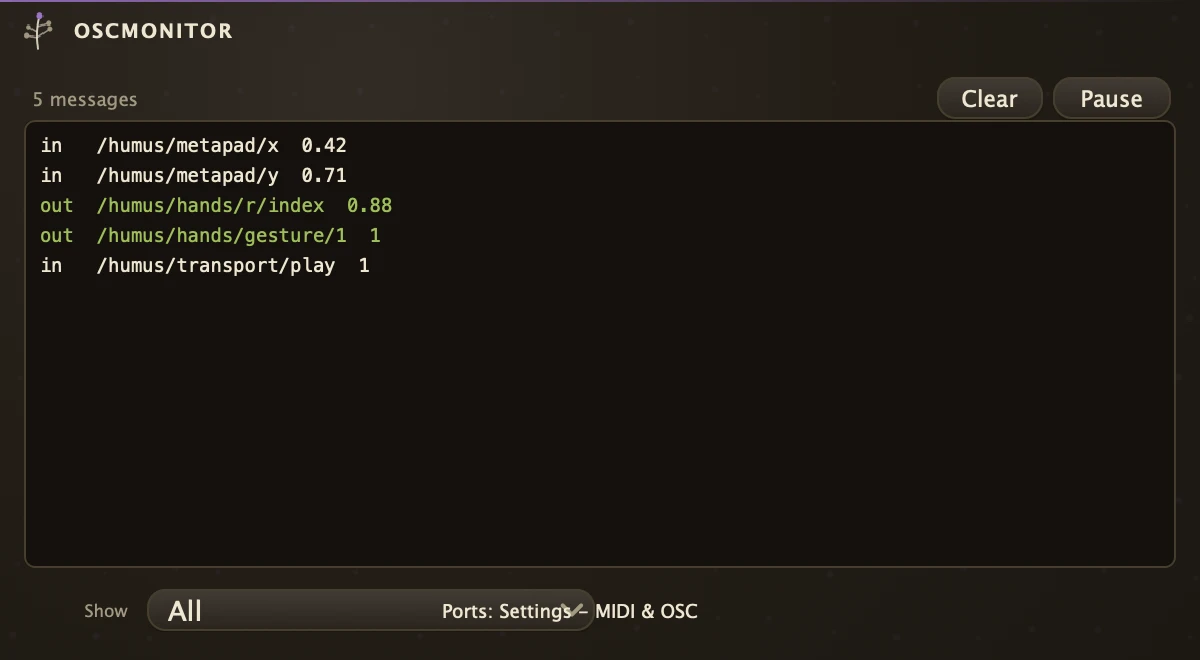
A log of the OSC messages crossing the app, in both directions, as readable lines.
It has no pins: drop one anywhere and it lists every message arriving on the OSC input port, mapped to a parameter or not, and every value an OSC-sending organism such as Hands transmits, with the address it went to. Use it to check that a phone controller or sensor bridge actually reaches the machine, to find the address a fader sends before you map it, and to confirm what a receiver should expect. The OSC input must be on in Settings for received rows to appear; the header says when it is off. Pause freezes the list and Clear empties it.
Parameters
| Direction | Shows All, Received or Sent lines. A tracked hand streams continuously, so Sent can flood the view; lines filtered out are dropped, not kept. |
Recipe
| Finding an address | Set Direction to Received, point the controller at the machine's OSC port and move one fader. The address that appears is the one to give the parameter's OSC mapping. |