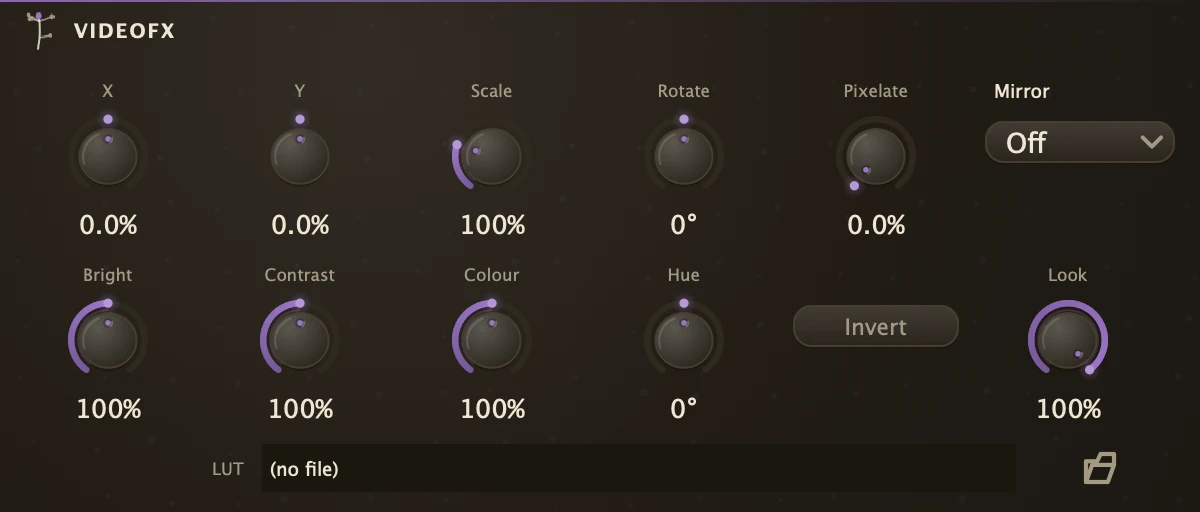
A picture treatment with position, scale, rotation, colour and mosaic controls.
Inlets
Video
1
Outlets
Video
1
One video inlet and one outlet. The picture passes through a transform stage (position, scale, rotation, mirror and pixelate) and then a colour stage (brightness, contrast, saturation, hue and invert). Every knob is an ordinary param, so a Follower on Scale pushes the picture with the kick, an LFO on Rotate spins it slowly and a Sequence on Hue cycles colour in time. Put it between a VideoPlayer, VideoPad or CameraIn and a Lumen, VideoMix or VideoOut, and chain two when the transform and the colour should automate separately.
Parameters
PosX
Where the picture sits left to right, as a share of the frame. +100% slides it a whole frame to the right.
PosY
The same up and down. +100% is a whole frame up.
Scale
How big. 100% is as it came, 200% twice as big, 0% collapses it to a point.
Rotate
The spin in degrees around the centre of the frame.
Pixelate
How coarse the mosaic is. 0% leaves the picture alone; 100% is a handful of blocks across.
Mirror
Folds the frame across its middle. Off leaves it whole, Left copies the left half onto the right, Top copies the top half onto the bottom, Both does both.
Brightness
The light. 100% is as it came, 0% is black, 200% twice as bright.
Contrast
The spread around mid grey. 0% flattens to grey, 200% pushes to the extremes.
Saturation
The Colour knob. 0% is monochrome, 100% as it came, 200% overdriven.
Hue
Rotates every colour around the wheel, in degrees.
Invert
Shows the negative.
Recipe
Kick zoom
Cord a VideoPlayer into VideoFX and VideoFX into a VideoOut. Cord the kick into a Follower with a short release and route the Follower onto Scale with a small depth above 100%, so each hit pushes the picture towards you and it settles back between hits. Add a touch of Pixelate for a rough edge.