

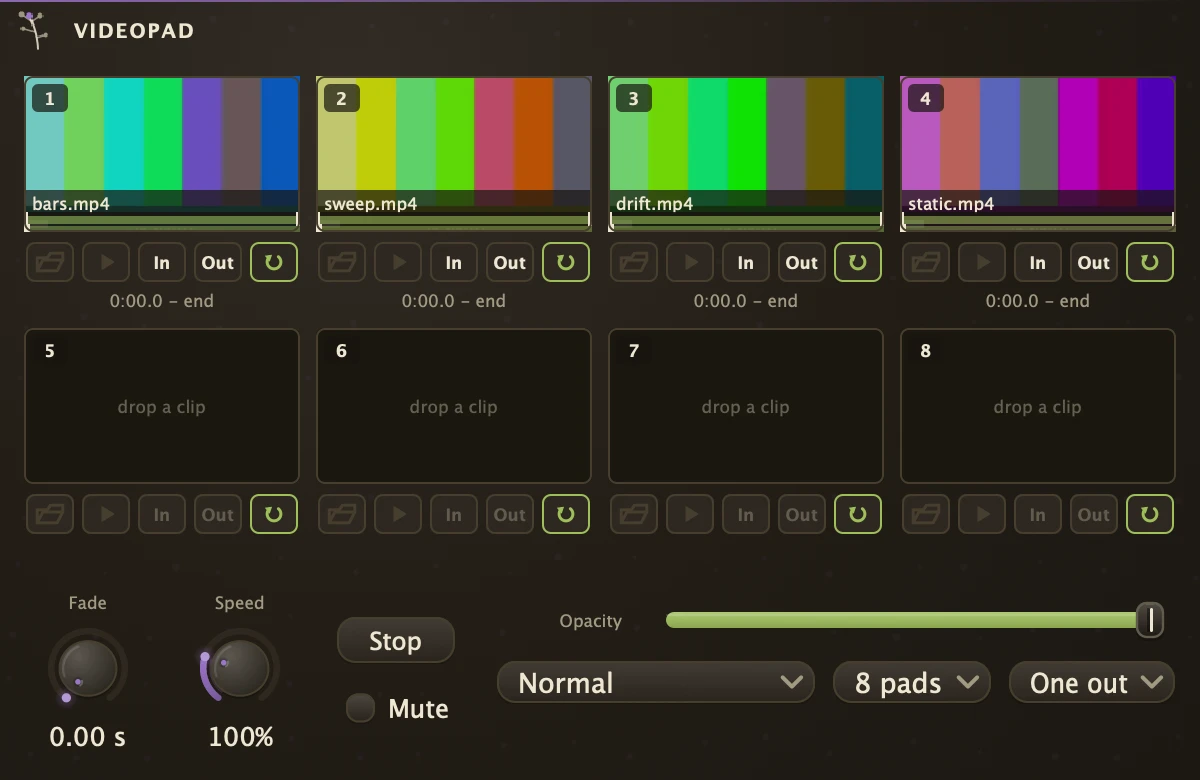
Eight clip pads with a dissolve between launches.
| Inlets | |
|---|---|
| MIDI | 1 |
| Outlets | |
|---|---|
| Audio | 2 |
| Video | 1 |
Each pad holds a clip: drop a video on it or click the folder to load one, click the picture to launch it, and the next launch dissolves into it over the Fade time. The MIDI inlet launches pads by note, middle C for pad 1 and the semitones above it for the rest; launching a pad that is already playing restarts it from In. Random rolls a fresh In, Out and Loop for every loaded pad and launches one. Cord the main outlet into a Lumen layer, a VideoFX, a VideoMix or a VideoOut.
The pads carry their sound as well as their picture. A launched clip plays its own audio from the stereo outlet, from its in point, looping between in and out if that pad loops, and handing over to the next pad on the same fade the picture crosses on. Mute takes both. The picture follows the sound rather than running beside it, so a cut lands in both at once instead of drifting apart over a long clip - and a pad pressed while it is already playing goes back to its in point, sound and picture together.
Pad editing
The upper line under each picture is the whole tape with the In to Out stretch lit; the lower line is the cut with its playhead. Drag a mark to move a point, drag across the picture to scrub, and press In or Out to stamp the playhead into the pad. Drag a pad by its number badge onto another pad to copy it, or onto the timeline as a clip.
Parameters
| File1 | The clip on pad 1, and so on for 2 to 8. |
| Launch1 | Launches pad 1. Momentary; right-click a pad for Launch control to map it, and so on for 2 to 8. |
| In1 | Where pad 1's clip starts, in seconds. Rolled by Random, and so on for 2 to 8. |
| Out1 | Where pad 1's clip ends, in seconds; 0 runs to the end of the file. Rolled by Random, and so on for 2 to 8. |
| Loop1 | Whether pad 1 cycles between In and Out or plays through once and holds its last frame. Rolled by Random, and so on for 2 to 8. |
| Stop | Dissolves the picture to black over the Fade time. |
| Mute | Holds the outlet black while on, a blackout switch that leaves the clips running underneath. |
| Fade | How long a dissolve takes, in seconds. 0 is a straight cut. |
| Rate | The Speed knob, in percent, for every pad at once. 100% is as recorded, 0% holds a frame. |
| Pads | 4 pads or 8 pads. |
| Outlets | One out carries the launched mix alone. Per pad adds a video outlet for each pad after the main one, so a single pad can feed its own VideoFX or tracker. |
| Opacity | How strongly the main outlet shows when it feeds a Lumen layer. |
| Blend | How it combines there: Normal, Add, Multiply or Screen. |
Recipe
| Drum-pad cuts | Load four clips, set Pads to 4 pads and Fade to 0.1. Cord a PianoRoll or a MidiIn into the MIDI inlet and play middle C and the three semitones above it to cut between them on the beat. Cord the outlet into a VideoOut. |